 Written by Naor Gal Yam
 Table of Contents
- 01 What ‘Semantic Context’ Actually Means, and Why It Matters
- 02 Why Internal Linking Stays Neglected So Often
- 03 Principle 1: Every New Content Page Needs 2-4 Relevant Internal Links
- 04 Principle 2: Periodically Revisit Old Content and Update Links
- 05 Principle 3: Anchor Text Should Be Descriptive
- 06 Principle 4: Not Every Link Needs to Be Internal
- 07 Principle 5: A ‘Parent Page and Child Pages’ Structure Helps, Not Hurts
- 08 A Real-World Content Cluster Example
- 09 Internal Linking vs. Menu Navigation — Not the Same Thing
- 10 How to Audit Your Existing Internal Linking
- 11 How Much Time This Actually Takes
- 12 What Not to Do
- 13 Summary
What ‘Semantic Context’ Actually Means, and Why It Matters
An AI engine trying to judge how trustworthy a site is on a given topic doesn’t just examine a single page — it examines the whole body of content and the relationships between pages. A site with an excellent page on ‘GEO audits,’ but where no other page on the site links to it, sends a weaker signal than a site where the services page, the homepage, and relevant blog posts all link to that page in a natural context. That’s exactly what ‘semantic context’ means — the connections between pieces of content that teach the engine that this site has deep expertise in a topic, not just a single article about it once.
Why Internal Linking Stays Neglected So Often
In most cases it’s not a matter of not knowing better — it’s a matter of workflow. Content gets written, published, and then ‘the project is done.’ No one goes back to check which older pages should link to the new content, or which linking opportunities have opened up since the last publish. The result is a site with plenty of good content, only loosely stuck together. The fix doesn’t require special tools or extra budget — it mainly requires turning this check into a regular part of the publishing process, rather than a step that gets skipped because ‘the content is already done.’
Principle 1: Every New Content Page Needs 2-4 Relevant Internal Links
When writing a new page or post, it’s the right time to ask: which existing pages on the site relate to this topic? If you wrote about ‘schema for ecommerce,’ there’s likely a natural connection to the ‘GEO for Ecommerce’ page and the general ‘Schema & Structured Data’ page. These links should feel natural within the text, not a disconnected list at the bottom of the page.
Principle 2: Periodically Revisit Old Content and Update Links
When a new page is published, it’s worth checking which older pages could ‘earn’ a link to it. This takes discipline, but it’s exactly what builds the content cluster that AI engines recognize as a signal of genuine authority.
Principle 3: Anchor Text Should Be Descriptive
A link with the text ‘click here’ tells an AI engine nothing about what’s on the other end. A link with the text ‘how to build FAQPage schema’ gives clear context about the destination — for both the reader and the engine. A simple rule of thumb: if you pull the link out of context and look only at the anchor text by itself, is it still clear where it leads and why? If so, that’s good anchor text.
Principle 4: Not Every Link Needs to Be Internal
Linking out to a credible source (like Schema.org’s official documentation or Google Search Central) doesn’t weaken a site — it strengthens its credibility, because it shows the content is grounded in real sources, not just opinion. The right combination is strong internal linking alongside selective, relevant external links.
Principle 5: A ‘Parent Page and Child Pages’ Structure Helps, Not Hurts
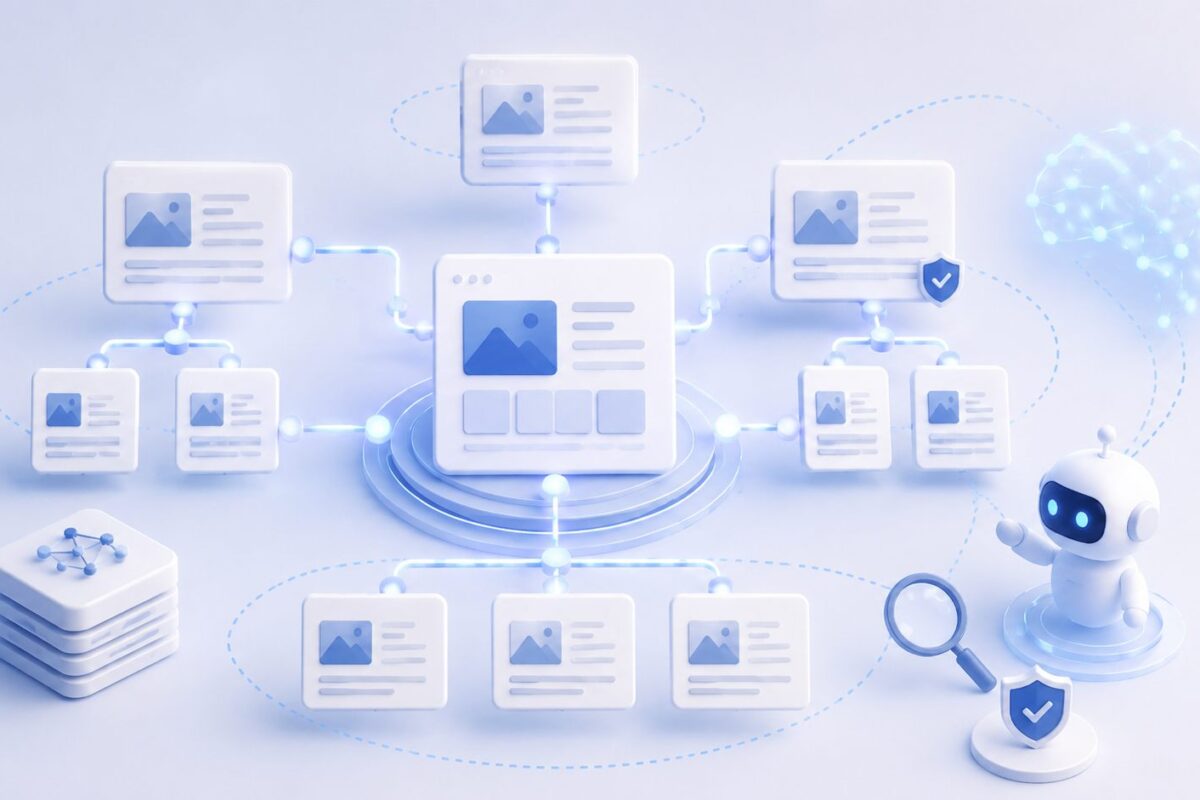
A silo structure, where a parent page (like ‘GEO Services’) links to all its child pages (specific service pages), and vice versa, helps an AI engine understand the site’s logical hierarchy. It’s not just a navigation matter for visitors — it’s a relationship map that AI engines use to understand ‘what contains what’ in terms of topics.
A Real-World Content Cluster Example
Say you have a parent page, ‘GEO Services,’ with five specific service pages beneath it. A healthy cluster looks like this: the parent page links to all five pages, every service page links back to the parent, and every service page also links to two or three other service pages relevant to it — for example, the ‘Schema & Structured Data’ page might link to both ‘GEO for Ecommerce’ and ‘GEO Audit.’ Once you add blog content, every relevant post links to at least one service page and to the parent page. That’s exactly the network an AI engine ‘sees’ when trying to assess the depth of a site’s expertise on a given topic.
Internal Linking vs. Menu Navigation — Not the Same Thing
There’s a common confusion between internal linking and a site’s navigation menu. A navigation menu is a fixed wayfinding tool for visitors, but it doesn’t necessarily convey semantic context — it typically shows the same links on every page, regardless of the specific content. Real internal linking is the links that appear within the content itself, because those are what teach an AI engine about the connection between a post’s specific topic and other topics on the site. A good menu is essential for navigation, but it’s not a substitute for deliberate internal linking within the content.
How to Audit Your Existing Internal Linking
Google Search Console provides an ‘Internal Links’ report that shows how many internal links point to each page on your site. An important page with an unusually low number of internal links is a clear sign it’s worth adding links to it from other relevant pages. This is a simple check that takes only a few minutes, and gives a clear, focused picture of exactly where the gaps are in your existing linking strategy.
How Much Time This Actually Takes
Adding 2-4 relevant internal links to a page usually takes 10-15 minutes, including finding the right pages and writing descriptive anchor text. A quarterly review of internal linking across your site’s 10-15 most important pages takes about one to two hours in total. That’s a much better cost-to-benefit ratio than most other GEO activities, precisely because it’s work on content that already exists rather than writing something new.
What Not to Do
Automatic, mechanical internal linking (for example, a plugin that links every instance of a keyword to a specific page, regardless of context) creates a poor reading experience and can even be misleading. Internal linking should be built deliberately, in natural context, not as a blind automated process.
Summary
Internal linking is one of the cheapest tools to implement and one of the most neglected in GEO. It doesn’t require new content — just ongoing attention to existing content, and a clear intent to connect pages that genuinely relate to each other.